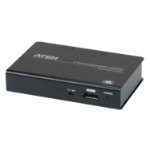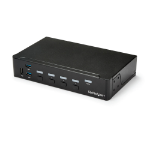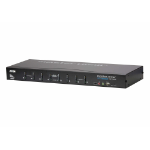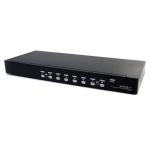

Multilingual keyboard mapping – supports English, French, Japanese, and German keyboards
DisplayPort 1.2 compliant; HDCP compliant3
Supports HD audio4
Power on detection
Firmware upgradable
Note:
1. DisplayPort Dual–Mode technology (DP++) does not require an active adapter for most single display setups. Active DisplayPort adapters are recommended if you are unsure of the video source's DP++ compatibility.
2. MST (Multi-Stream Transport) requires either monitors that are capable of DisplayPort 1.2 daisy-chaining, or use of a powered DisplayPort MST Hub. A DisplayPort v1.1a display can be the last display in a DisplayPort v1.2 chain. The PC source must be DisplayPort 1.2 compliant
3. For DisplayPort 1.4 compliant display device, make sure to configure the device setting to be compatible with DisplayPort 1.2 to avoid compatibility issue
4. HD audio through DisplayPort cannot be switched independently
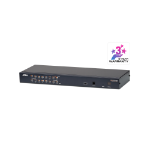
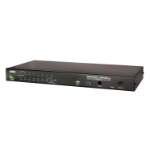
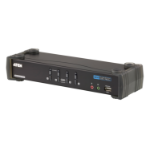
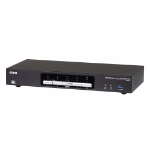
The ATEN CS1944DP desktop KVM switch helps organize your desktop. Especially when managing a multimedia workstation at a large organization, CS1944DP provides you with instant access to two or four computers, all through a single USB keyboard, USB mouse and two DisplayPort monitors.
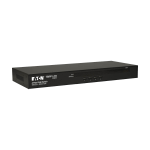
Advanced video support provides a better-defined DisplayPort connection with video resolutions up to 4K (4096 x 2160 / 3840 x 2160 @ 60 Hz). Incorporating dual display capability, you are allowed to enjoy a wider screen and easily switch between two or four DisplayPort systems. In addition, featuring a built-in USB 3.1 Gen 1 hub, the CS1944DP delivers unprecedented data transfer rates up to 5 Gbps, allowing you to maximize multimedia operations.
Engineered to meet the ever-increasing demand for dual display, ultra-fast data transmission rates, and lossless 4K video resolution, the CS1944DP is specifically designed for where multitasking is needed such as design, financial trading, and video post production.
Note: As is common with DisplayPort KVM switches, switching between KVM ports in an Extended Desktop setup may cause windows open on the extended desktop to be resized/repositioned back to a default configuration on the main display. This is due to the nature of the DisplayPort protocol and may require a manual readjustment.
USB 3.2 Gen 1 (3.1 Gen 1) Type-A hub ports quantity
2
HDCP
Yes
Ethernet LAN (RJ-45) ports
1
Network
Ethernet LAN (RJ-45) ports
1
Performance
HDCP
Yes
Firmware upgradeable
Yes
HD type
4K Ultra HD
Video bandwidth
60 Hz
Maximum resolution
4096 x 2160 pixels
Scan interval
1,99 s
Technical details
Product colour
Black
Scan interval
1,99 s
Push button
Yes
LED indicators
Yes
Hot keys
No
USB hub
Yes
Compliance certificates
RoHS
Design
Product colour
Black
Push button
Yes
LED indicators
Yes
Hot keys
No
Housing material
Metal
Display
Built-in display
No
Power
Power source
DC
Power consumption (typical)
5.76 W
Input voltage
12 V
System requirements
Windows operating systems supported
Windows 10, Windows 2000, Windows 7, Windows 8, Windows 8.1, Windows Vista, Windows XP
Linux operating systems supported
RedHat EL Linux 6.0, RedHat EL Linux 7.0, SUSE Linux Enterprise Desktop 10, SUSE Linux Enterprise Desktop 11, SUSE Linux Enterprise Desktop 12, SuSE Linux 10, SuSE Linux 10.2, SuSE Linux 10.3, SuSE Linux 11, SuSE Linux 11.1, SuSE Linux 11.2, SuSE Linux 12.0, SuSE Linux 12.3, SuSE Linux 9.3, openSUSE 13.1
Mac operating systems supported
Mac OS 9.0, Mac OS 9.1, Mac OS 9.2, Mac OS X 10.0 Cheetah, Mac OS X 10.1 Puma, Mac OS X 10.10 Yosemite, Mac OS X 10.11 El Capitan, Mac OS X 10.12 Sierra, Mac OS X 10.13 High Sierra, Mac OS X 10.14 Mojave, Mac OS X 10.2 Jaguar, Mac OS X 10.3 Panther, Mac OS X 10.4 Tiger, Mac OS X 10.5 Leopard, Mac OS X 10.6 Snow Leopard, Mac OS X 10.7 Lion, Mac OS X 10.8 Mountain Lion, Mac OS X 10.9 Mavericks