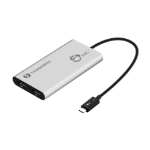
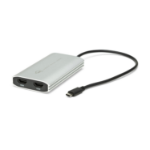
USB C to HDMI Adapter, Dual Monitor 4K 60Hz for Apple Mac M1/M2/M3, DisplayLink Multiple Displays for Thunderbolt Macbook or iMac, Driver Required (USBC-6950M)
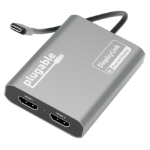
At a Glance—The Plugable USB-C Dual HDMI Adapter for 2 monitors (USBC-6950M) features dual 4K 60Hz HDMI ports, DisplayLink technology (driver installation required), and a sturdy aluminum design. Ideal for traditional and hybrid offices using MacBooks
Dual 4K—The HDMI adapter for dual monitors delivers dual 4K 60Hz displays from a single Thunderbolt, USB4, or USB-C port. Designed for seamless compatibility, this DisplayLink adapter adds two extended screens to all M1, M2, and M3 Macs
How it Works—Some base model Macs only support a single extended monitor. This HDMI dual monitor adapter uses the DL-6950 chipset and DisplayLink drivers to circumvent display limitations. It’s an ideal solution for those who use multiple web and office apps simultaneously
Works With—Ideal for traditional and hybrid office setups, this HDMI hub for multiple monitors is compatible with macOS 11+, Windows 10 and newer, and ChromeOS 100+ systems with Thunderbolt, USB4, or USB-C. Driver installation required. HDCP not supported
A Convenient Way to Add Dual 4K Display Adding multiple screens to your work setup has been shown to dramatically increase productivity. The Plugable USB-C HDMI 4K dual monitor adapter for laptop (USBC-6950M) is designed to give you those productivity gains even if your computer doesn’t support multiple displays — like base model M1, M2, and M3 Macs. Of course, the USB C to HDMI adapter works just as well with Windows 10 and newer, and ChromeOS 100+ systems, too.
At the heart of this dual monitor connector for laptop and desktop is a DisplayLink DL-6950 chipset. You’ll need to download the DisplayLink drivers (generally an automatic process on Windows machines), but once you do, you’ll see the benefits this HDMI multi port adapter provides. From a single Thunderbolt, USB4, or USB-C port, add two HDMI ports. It’s a simple, straightforward way to add dual 4K displays, even Macs that would otherwise only support one display.
640 x 480 (VGA), 800 x 600 (SVGA), 1024 x 768 (XGA), 1152 x 864 (XGA+), 1280 x 1024 (SXGA), 1280 x 720 (HD 720), 1280 x 800 (WXGA), 1600 x 900, 1920 x 1080 (HD 1080), 2560 x 1080, 2560 x 1440, 3440 x 1440, 3840 x 1600, 3840 x 2160
USB connector type
USB Type-C
USB connector gender
Male
Data transfer rate (max)
5 Gbit/s
USB version
3.2 Gen 1 (3.1 Gen 1)
DVI output
No
HDMI output
Yes
DisplayPort output
No
Number of displays supported
2
HDMI version
2.0
HDCP
No
Maximum resolution
3840 x 2160 pixels
Refresh rate at maximum resolution
60 Hz
LED indicators
Yes
HDMI ports quantity
2
Design
Product colour
Silver
Integrated USB cable
Yes
USB cable length
8.66" (0.22 m)
System requirements
Windows operating systems supported
Windows 10, Windows 10 Education, Windows 10 Education x64, Windows 10 Enterprise, Windows 10 Enterprise x64, Windows 10 Home, Windows 10 Home x64, Windows 10 IOT Core, Windows 10 IoT Enterprise, Windows 10 Pro, Windows 10 Pro x64, Windows 10 x64, Windows 11, Windows 11 Enterprise, Windows 11 Enterprise x64, Windows 11 Home, Windows 11 Pro, Windows 11 x64